 Coming soon
Mask / In development
A fresh face for your ideas.
Mask puts a different face on live camera footage, photos and video. It runs on Apple silicon with Core ML, Vision and Metal, so the processing stays on your Mac. Add a face filter for fun or for a subtle touch-up, compare with the original, then save a snapshot or record the result.
- Sources: live camera, photos and video
- 3
- Face filter presets
- 8
- Languages, plus Canadian French
- 20
- Of the processing on your Mac
- 100%
Interactive demo
Try on another face.
Choose a source face or a filter, then drag the handle to compare with the original.

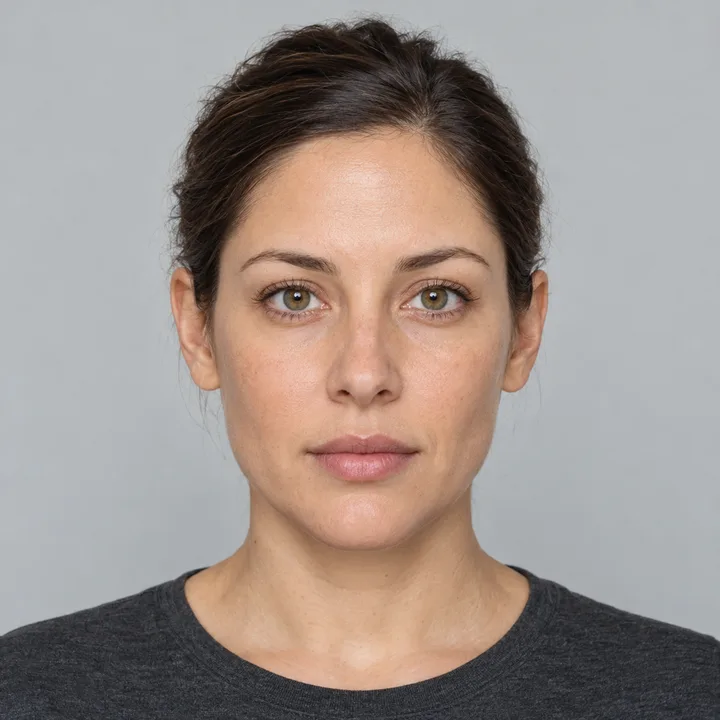
Source face
Photo
The face changes. The hair, the pose and the light stay the same.
These pictures are real output from the engine in Mask. The two people are fictional models that come with the app.
Features
What it does
Live face swap
Choose a source face and see it on your camera picture in real time. The same swap works on a photo or a video that you drop onto the window.
Your mouth stays yours
Preserve mouth movement keeps your own lips, teeth and speech. It is on by default, so talking looks natural.
Eight face filters
The Fun presets are Toon Pop, Tiny Face, Elastic Grin, Big Nose and Long Face. The Beauty presets are Soft Skin, Natural Glow and Bright Eyes. Filters work with or without a swap.
Sharper detail
High detail swaps each face at 512 pixels in photos and exported video. Optional enhancement restores fine detail in the swapped face.
Compare and capture
Press ⌘E to compare with the original. Save a snapshot or record HEVC video. An exported video keeps its sound.
A face library
The library starts with two fictional models. Add the faces of people who consent, from a photo or the camera. Your names and changes are saved.
Good to know
Private by design
Processing stays on your Mac
Camera frames, photos, videos and the face library stay on your Mac. There is no account and no server.
Models download one time
For face swapping, the app downloads about 660 MB of model weights and verifies each file with SHA-256. Filters work without a download.
Use it with consent
Swap only the faces of people who consent, and say when a picture is synthetic.
Release notes
What changed
A faster live swap and more detail
- The live swap is 17 to 19 percent faster at 720p in the processing benchmark.
- A second detection pass on each face makes the alignment more stable.
- High detail swaps each face at 512 pixels in photos and exported video. The live camera uses 256 pixels.
- Preserve mouth movement now follows the lip contour, so the skin beside the lips stays swapped.
- You can rename a face in the library.
Languages
- The app is available in 20 languages, plus Canadian French.
- Hebrew uses a native right-to-left layout.
Face filters, model setup and a new name
- Face Filter adds five Fun presets and three Beauty presets.
- A combined swap and filter is 28 to 51 percent faster in the processing benchmark.
- The app downloads and verifies its models on first launch.
- Preserve mouth movement now works together with enhancement.
- Two fictional model faces come with the app.
- A new icon has Default, Dark and Mono appearances.
- The app is now named Mask.
First build
- Face swapping for live camera, photos and video on Apple silicon.
- A command-line tool for batch images, videos and benchmarks.
Questions
Questions and answers
When can I get Mask?
It is in development. It will be free, like the other apps here. This page will show the download when it is ready.
Does my face leave my Mac?
No. Detection, swapping and filters run on your Mac. The app uses the network only to download its models.
Do filters need a model download?
No. Face filters use Vision and Metal and work immediately. Only face swapping needs the models.
How fast is it?
Speed depends on your Mac, the number of faces, the resolution and enhancement. In a processing benchmark on an M1 Ultra, a combined swap and filter ran at 33.8 frames per second at 720p.
Made by Moebis
More apps
 CyclopsA notch above the rest.
 ParasailGive your ideas another dimension.
 SyncroEvery bookmark, in step.
These apps are free. Your support pays for the tools behind every release.
Support development