The real Earth, right now.
Blue Marble puts the real Earth behind your desktop icons and in your screen saver. The sun lights it at its true position for this moment, cities glow on the night side, and the clouds come from weather satellites a few hours ago.
Version 0.3.5 · 30.4 MB · macOS 26.0 or later
Verify the SHA-256 checksum
9d63c555752836f031b3ad8a9b142151f6dff92aeb2d86edec0f92f7754e2e65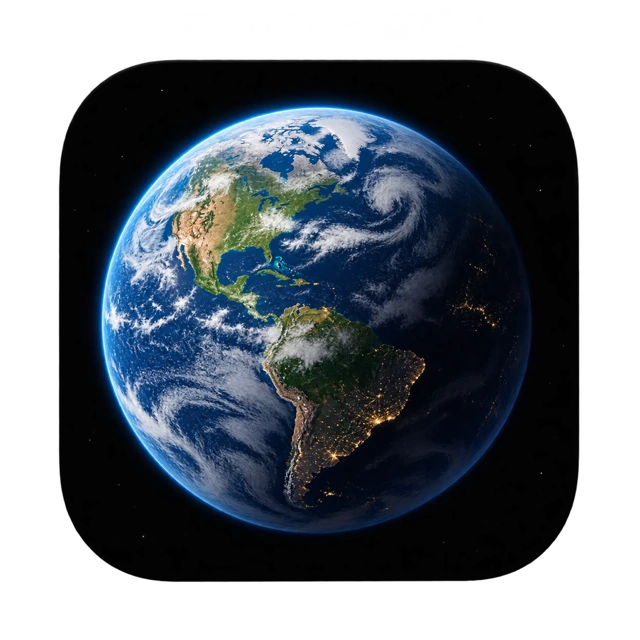 Free for Mac
- Of one CPU core in the default view
- 1%
- Views, from Close-up to Far Out
- 5
- Live layers: fires, lightning and earthquakes
- 3
- Native Swift renderer
- Metal
Features
What it does
A live wallpaper
A menu bar app puts the Earth behind your desktop icons, on every display and every Space. Clicks go through to the desktop.
A screen saver too
The same renderer runs as a macOS screen saver, with the view, place and motion that you chose in the app.
True light, live clouds
The sun lights the Earth at its real position, with twilight, sun glint and city lights. Clouds from weather satellites are at most a few hours old.
Views and motion
Choose Whole Earth, Close-up, Horizon, Side View or Far Out, then Orbit, Stay Above Place or Follow the Sun. Search for a place and save your own views.
Live data layers
Turn on active fires from NASA FIRMS, lightning from the GOES weather satellites and earthquakes from the U.S. Geological Survey.
Light on your Mac
Native Swift and Metal with GPU-compressed textures. The frame rate follows the motion, so the default view uses about 1% of one CPU core.
Good to know
Data and limits
Data only while you look
The live layers download only while the Earth is visible on screen. Lightning covers the Americas, the Atlantic and the eastern Pacific.
Public sources
Earth imagery comes from NASA Earth Observatory. Live clouds contain modified EUMETSAT data. Blue Marble is not affiliated with NASA, EUMETSAT or Apple.
Release notes
What changed
First Mac release
- Choose Download for Mac to get the installer.
- Signed automatic updates. Choose Check for Updates in the menu bar menu.
- The screen saver comes inside the app. Blue Marble installs it and updates it with the app.
Clearer live layers
- Fires, lightning and earthquakes stay visible on bright daylight clouds and snow.
- Earthquakes show as a subtle ripple.
- Lightning flashes as blue-white sparks and fires flicker as embers, so they no longer look like city lights.
Live data layers
- Optional layers for active fires, lightning and earthquakes.
- The screen saver uses the view, place and motion of the app.
First build
- The live wallpaper and screen saver, with real sunlight, city lights and live clouds, in Swift and Metal.
Questions
Questions and answers
How do I get Blue Marble?
Choose Download for Mac and open Blue Marble from Applications. It installs its screen saver, checks for signed updates, and updates the screen saver with the app.
How do I use the screen saver?
Open System Settings, choose Wallpaper, click Screen Saver and select Blue Marble in the Other section.
Does it slow down my Mac?
The default view draws about 5 frames per second and uses about 1% of one CPU core. Live layers redraw more often while they show.
What happens offline?
Blue Marble keeps drawing the Earth and uses static clouds until it can fetch live clouds again.
Made by Moebis
More apps
 CyclopsAn eye on everything.
 ParasailGive your ideas another dimension.
 MaskA fresh face for your ideas.
 SyncroEvery bookmark, in step.
 CinderwakeLeave a burning wake.
 Tech TonicThe day in tech, distilled.
 MIMedical Intelligence
 TunisonEvery library, in tune.
 TypeDownMarkdown, with a typewriter’s soul.
These apps are free. Your support pays for the tools behind every release.
Support development